Search selected folders
Point the app at the places you care about, then search by filename, path clue, extension, type, date, size, or hidden-file status.
 Anything Search
macOS / local-first utility
Anything Search is a focused Mac app for finding files by filename, path fragment, extension, type, date, size, or hidden-file status. It is built for the moment when Finder feels too slow and Spotlight is not specific enough.
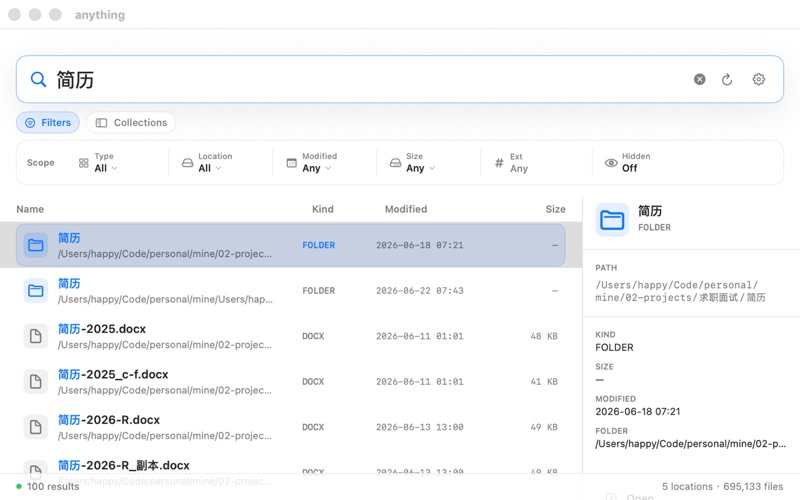
Anything Search does not try to replace Finder, Spotlight, or full-text document search. It focuses on selected local folders and the file clues you actually remember.
Point the app at the places you care about, then search by filename, path clue, extension, type, date, size, or hidden-file status.
Open a file, reveal it in Finder, copy the path, copy the parent folder, or continue in Terminal after you find the right result.
Finder is still the place to organize files. Anything Search is the extra step when you remember a clue but not the folder.
These are the cases the app is designed to make less annoying.
Find a DMG, ZIP, PDF, image, spreadsheet, or exported file when it may be in Downloads, Desktop, a project folder, or an external drive.
Search for a client name, project code, module name, version number, or path fragment, then jump back to Finder, Terminal, or your editor.
When you only remember that it was a PDF from last week or a ZIP from yesterday, combine file type and date clues before opening every folder manually.
If you only remember text inside a document, use a full-text search tool. Anything Search is for filenames, paths, and basic file metadata.
File search touches sensitive local context, so the boundary has to be explicit.
Filenames, paths, search terms, and indexes stay on your Mac. They are not uploaded to Anything Search's own cloud.
You choose where to search. If you only need a project folder or external drive, you do not need to point the app at everything.
The app does not promise document-content search, cloud indexing, AI search, or system repair. Finder and macOS permissions still matter.
If a file-finding workflow still feels slow, send a short, redacted example through the support page.